Local Mouse
A downloadable tool for Windows and macOS
LocalMouse
One keyboard. One mouse. Two computers.
Move between your Mac and Windows PC without switching keyboards or mice.
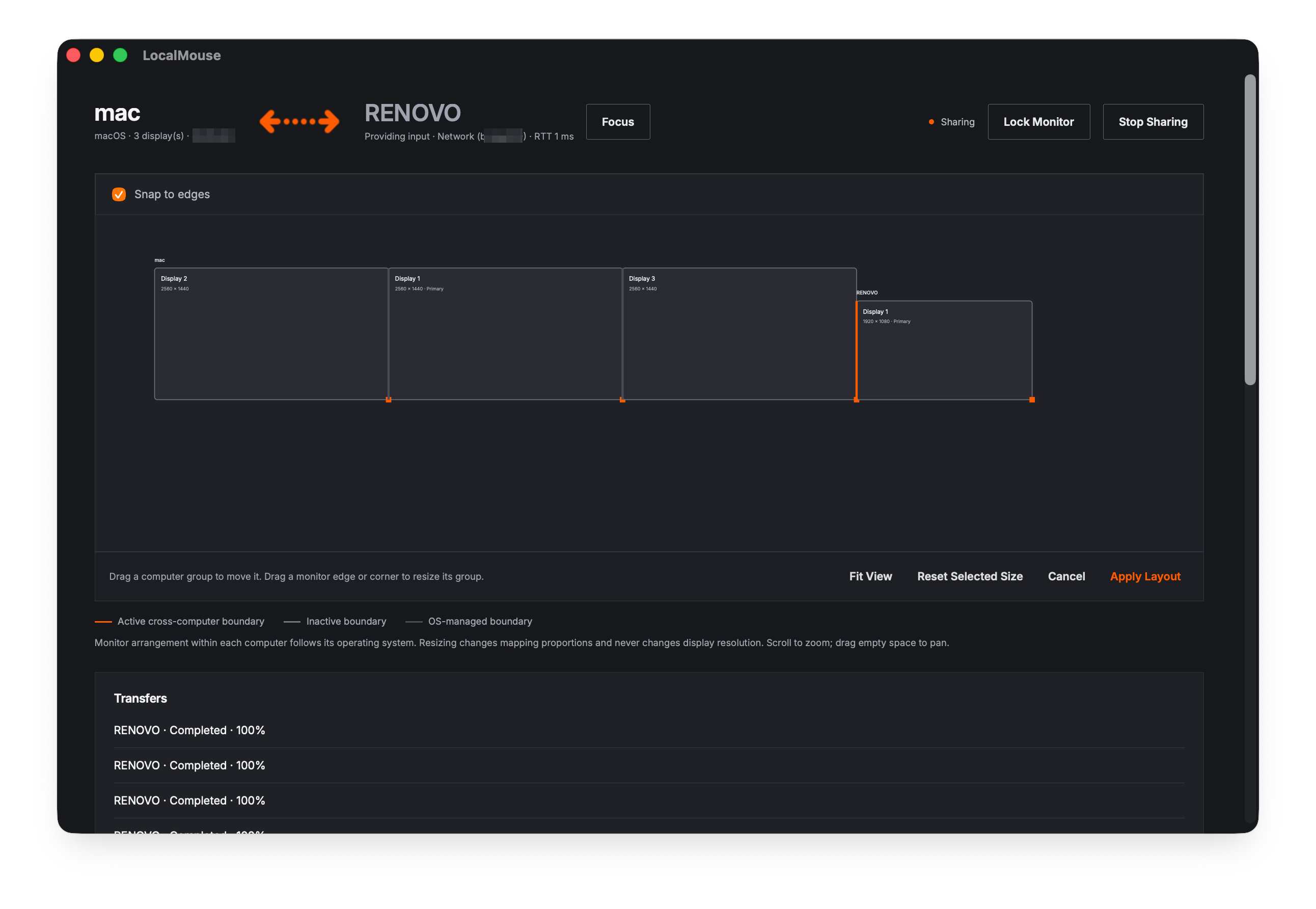
LocalMouse shares your keyboard and mouse across computers on the same local network. Arrange your screens to match your desk, move the pointer across a screen boundary, and continue working on the other computer.
No account required.
A more connected desk
Move between computers naturally
Cross a screen boundary with your mouse or use a customizable shortcut to switch computers.
Copy here. Paste there.
Share text, images, and supported formatting in both directions. Transfer files and folders with copy and paste, or try experimental file dragging between screens.
Keep your familiar shortcuts
Translate common Command/Ctrl shortcuts between macOS and Windows. Add custom rules for individual apps when needed.
Stay on one monitor
Monitor Lock keeps the shared pointer inside your current monitor, helping prevent accidental screen changes while working or dragging.
Manage everything in one place
Connections, monitor layout, transfers, and settings share one scrollable window with a dark theme and orange accents.
Choose what you share
Enable or disable clipboard sharing, file copy and paste, and file dragging separately.
Connections are encrypted and require approval on both computers after you compare their pairing codes.
Getting started
- Install LocalMouse on both computers.
- Connect both computers to the same local network using Wi-Fi or Ethernet.
- Grant the required permissions, then select the other computer or enter its IP address.
- Compare the pairing codes and approve the connection on both computers.
- Select Start Sharing on the computer providing the keyboard and mouse. Arrange your monitors in Screen Layout, then select Apply Layout.
On Mac: Open the DMG and copy LocalMouse to Applications. Grant Accessibility and Input Monitoring permissions.
On Windows: Extract the entire ZIP and run localmouse.exe. Keep localmouse-daemon.exe in the same folder. Microsoft Edge WebView2 Runtime is required. Allow private-network access if prompted by the firewall.
Useful controls
- Return to your local computer: Ctrl + Shift + Esc
- Toggle Monitor Lock on Mac: Command + Shift + L
- Toggle Monitor Lock on Windows: Windows + Shift + L
You can also use the Lock Monitor / Unlock Monitor button and customize the lock shortcut in Settings.
Available for
- macOS: Apple Silicon
- Windows 11: Intel/AMD x64
- Interface language: English
Experimental preview
LocalMouse is still in active development. Real-world testing remains incomplete for Windows execution, multi-monitor cursor behavior, Monitor Lock, Korean input, Finder/Explorer file operations, network switching, and long-session stability.
The Mac build is Developer ID signed but not yet notarized. The Windows build is not code-signed.
Experimental file dragging: Hold files at the screen boundary until preparation finishes, then continue dragging on the other computer. Larger files take longer. If you release early, use Files ready → Drag files. Transfers preserve the originals, and received-file storage does not yet have automatic cleanup.
Free to try, with optional support
The experimental preview is free to download. If LocalMouse helps your workflow, an optional donation is a welcome way to support development.
The full release may become paid. Anyone who supports this preview with a payment will retain access to the full release and future updates published on this itch.io page.
Feedback is welcome, too. If
Download
Click download now to get access to the following files:
Development log
Leave a comment
Log in with itch.io to leave a comment.